$9.99
Create editable 3D text in Photoshop with ten ready-made styles and compact controls for gradients, side color, shadows, bevel, and size. One-time purchase. One computer active per license. Requires Photoshop 2025 or newer and Adobe Creative Cloud Desktop.
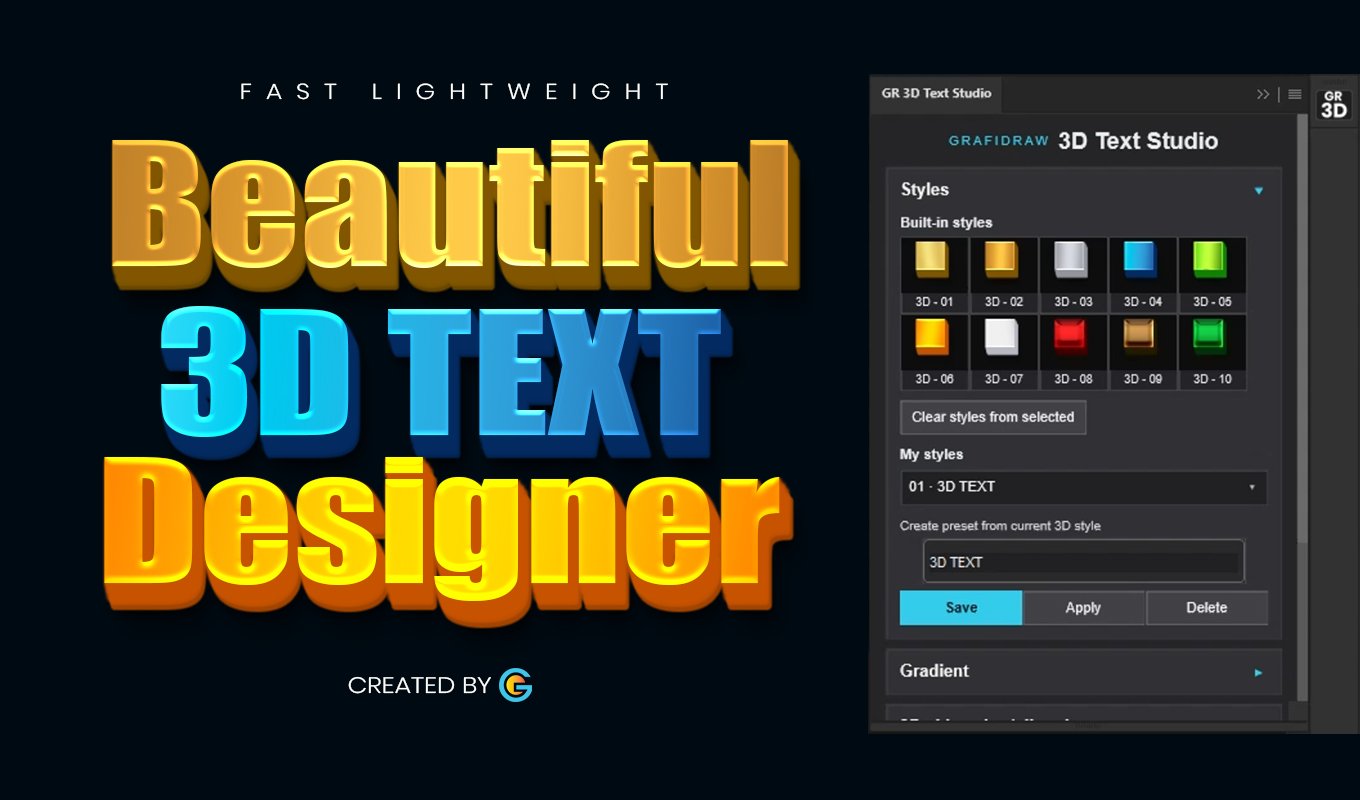
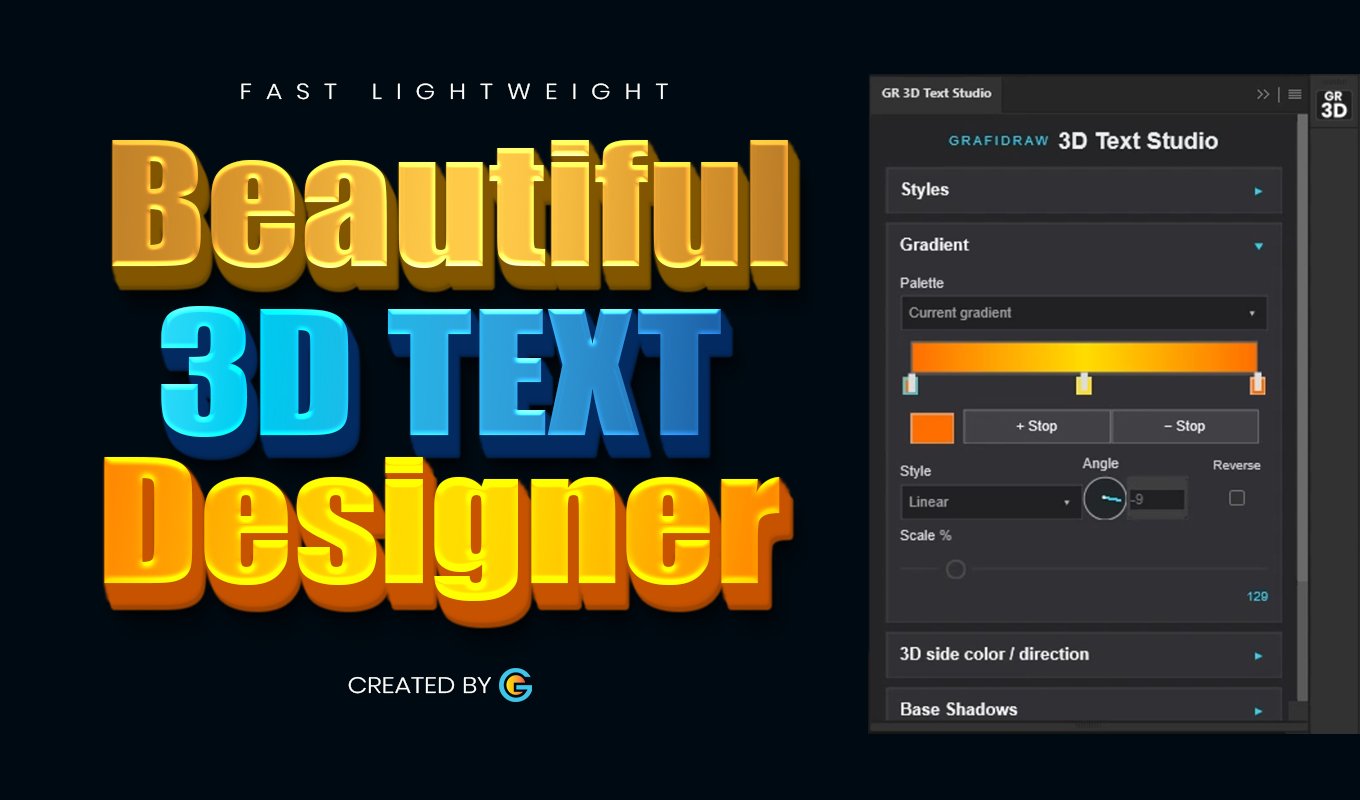
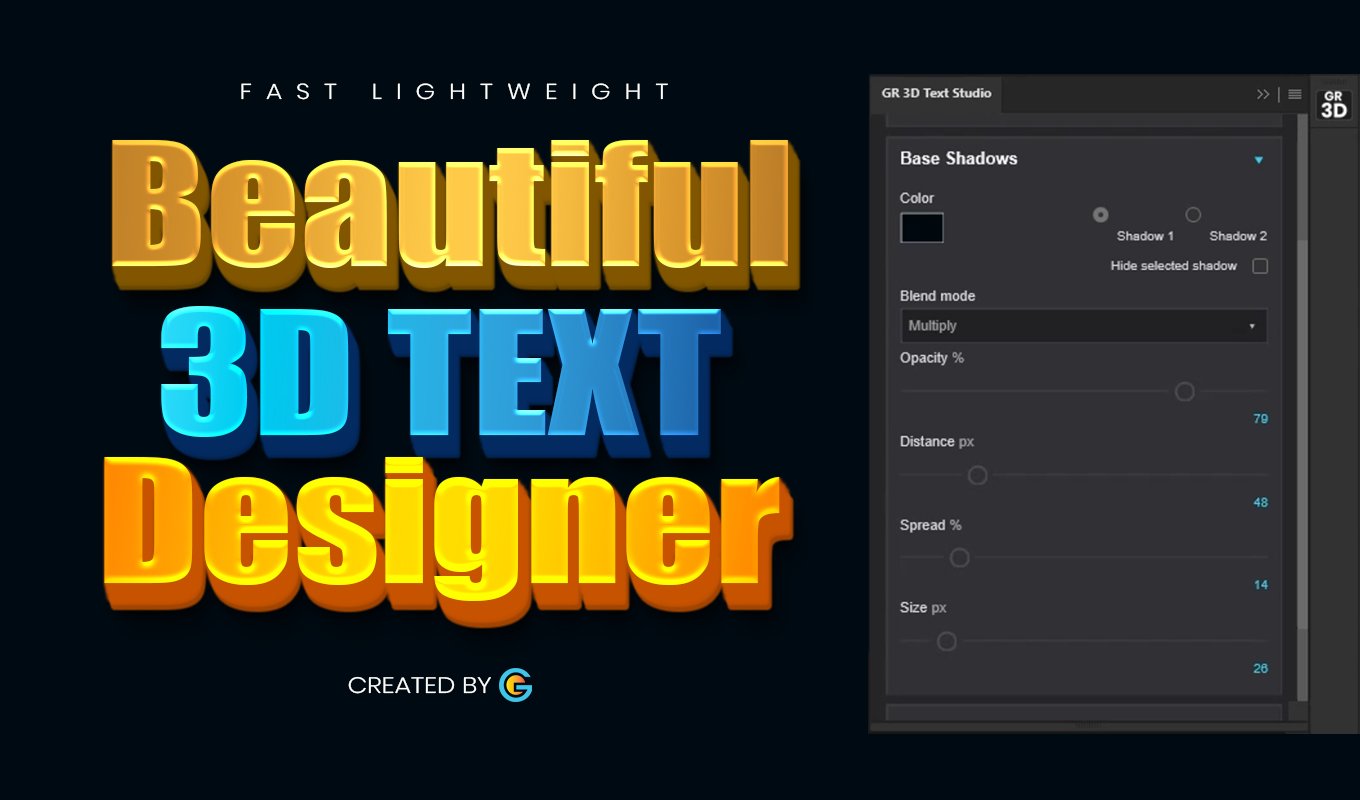
Grafidraw 3D Text Studio uses Photoshop’s own layer effects to create lightweight, editable 3D text. Apply one of ten built-in styles, then adjust the gradient, 3D direction and side color, base shadows, bevel, and overall size in one panel. Apply styles to multiple selected text layers and save up to ten personal presets.
Your text remains editable in Photoshop. The website edition includes a license key after purchase. Activate it on one computer at a time; deactivate the old computer in the plugin to move the license. Activation requires an internet connection, with a seven-day offline grace period after a successful check. The plugin does not upload your Photoshop documents, text, images, or style settings to the license service.
Requires Photoshop 2025 or newer and Adobe Creative Cloud Desktop. Extract the purchased ZIP and open its .ccx file with Creative Cloud Desktop. Your key appears in your order details and email. Purchases through Adobe Marketplace use Adobe’s separate purchase flow and do not use this website key.
Note: this instruction is for the plugin purchase on this website. If you purchase it directly via adobe exchange, installation is straight forward via adobe exchange:
Download the ZIP from your Grafidraw order or account, extract it, then double-click the .ccx installer. Follow the prompts in Creative Cloud Desktop. In Photoshop, open Plugins > GR 3D Text Studio and enter the license key from your order email or account dashboard (please check your spam folder incase you did not get the email in your inbox.
Get started: Select an editable text layer and choose one of the built-in styles. You can then adjust the gradient, 3D side, base shadows and bevel, or save your own preset.
Move to another computer: Use Deactivate this computer in the plugin before activating the other computer with the same key. If the old computer is unavailable, contact support with your order number.
Updates: For the website edition, check your Grafidraw order or account for an updated download when a new version is released, then install the updated .ccx through Creative Cloud Desktop. Your existing website license key remains tied to that purchase. For the Adobe Marketplace edition, install available updates through Creative Cloud Desktop; it uses Adobe’s purchase entitlement, not a Grafidraw website key.
Having trouble? Check that Photoshop is online for initial activation and that an editable text layer is selected. If an effect was deleted from the layer style, apply a built-in style again to restore the full editable 3D setup. Contact support with your order number, Photoshop version and a description of the error.